Review voyages by line and ship with current and historical fleet choices available during entry.
Cruise history for iPhone
A cruise tracker for every ship, port and voyage.
Build a personal cruise logbook with the cruise lines and ships you sailed, every port of call, the route between them and the statistics collected across all your voyages.
Build your cruise history
Keep the complete itinerary, not only the ship name.
Record where a cruise began, where it ended and every port visited in between. If no different arrival port is entered, the voyage returns to its original departure port after the final port of call.
- Departure port, arrival port and ordered ports of call.
- Cruise line and ship, with current and past fleets organized separately.
- Independent ship and port selection for unusual or historical itineraries.
- Voyage dates, mapped route, sea days and sailed distance.
Personal cruise statistics
See which lines and ships shaped your time at sea.
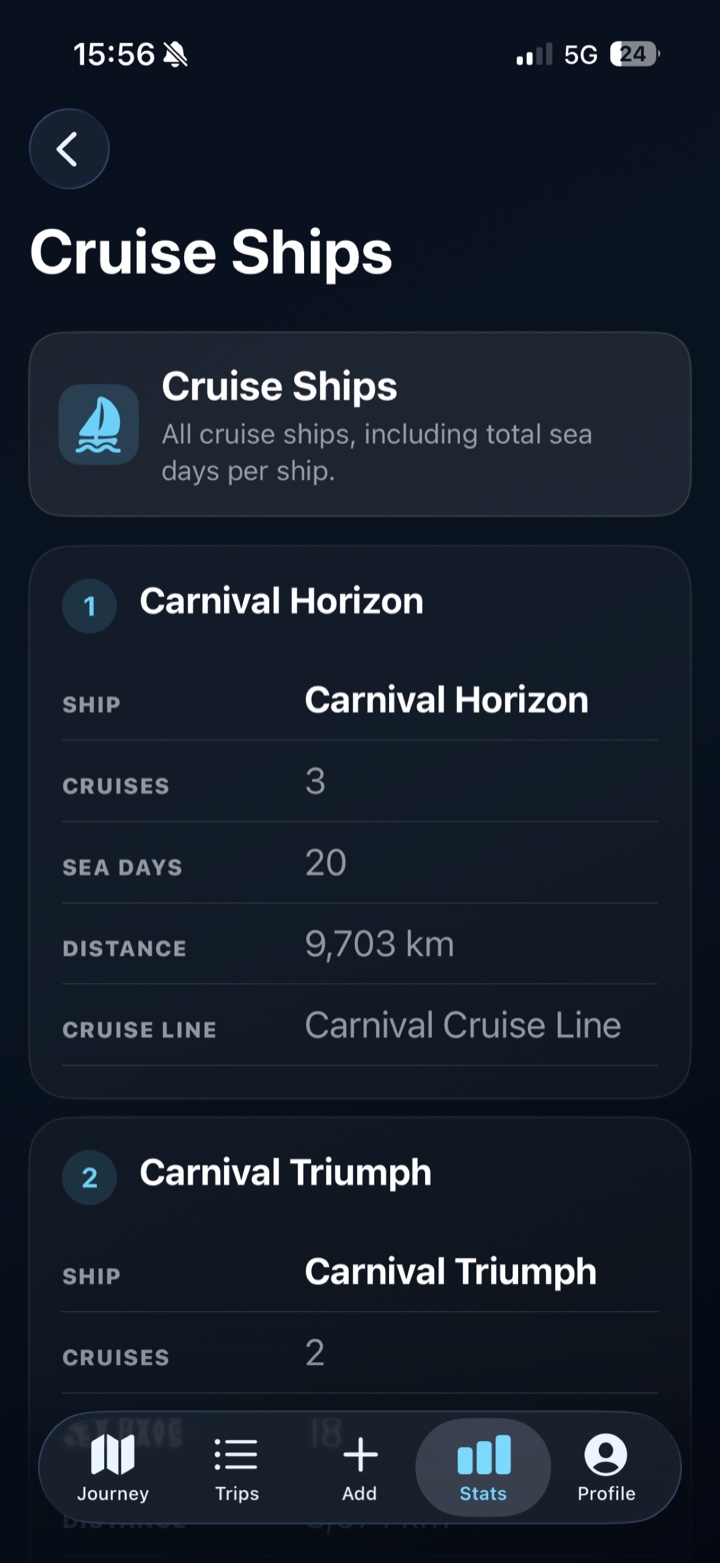
Cruise statistics connect each voyage to its line, ship and ports. Open a cruise line to review the ships travelled on, then open an individual ship to see its voyages ranked by days sailed and distance.
- Total cruises, sea days and sailed distance.
- Ranked cruise lines, ships and visited cruise ports.
- Ship rankings by cruises, then sea days, then distance.
- Detailed drill-downs from cruise line to ship to voyage.
Cruise stats at a glance
The voyage details PastRouteBook connects.
Your cruise logbook remains part of the same trip timeline as flights, trains, stays and attractions before and after the sailing.
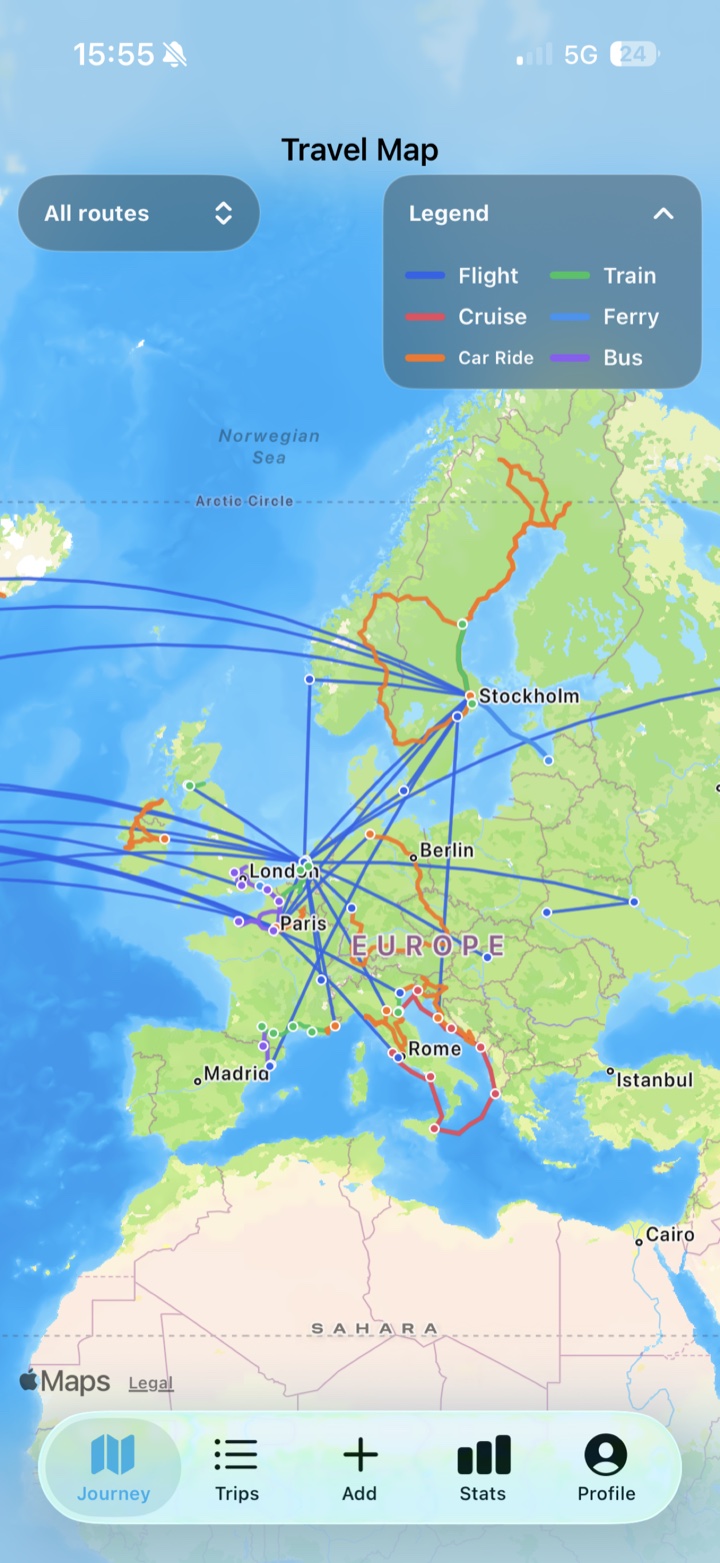
Keep each port of call in order and display the voyage as a solid red route on your travel map.
Create cruise, cruise-line and cruise-ship snapshots with route maps and clear ranked summaries.
Cruise tracker questions
Frequently asked questions
What can I record in the PastRouteBook cruise logbook?
A cruise entry can include its dates, departure and arrival ports, cruise line, ship and each port of call. PastRouteBook uses the saved voyage to calculate route, sea-day and distance statistics.
Which cruise statistics does PastRouteBook show?
PastRouteBook provides cruise totals and ranked breakdowns for cruise lines, ships and ports, including cruises taken, sea days and sailed distance.
Can I choose cruise ships and ports independently?
Yes. Cruise ships and ports of call are selected independently, which supports historical voyages and itineraries that differ from a ship's current schedule.
Does PastRouteBook provide live ship tracking?
No. PastRouteBook is a personal cruise-history tracker and logbook rather than a live vessel-position or cruise-booking service.
Give every voyage a place in your history.
Start a personal cruise logbook and see how those sailings connect to the rest of your travels.